How it works
How a fake website gets taken down
You make one decision: whether a site is fake. We do the rest: finding it, reporting it, confirming it's offline and watching for it to come back.
- 1
AI finds copies of your site
Every day, we check newly registered domains for names that contain or resemble yours. Look-alike spellings of your domain are checked every 3 days on the free plan and daily on monthly plans. Monthly plans also search Google every day. AI reads each page it can open and checks two things: does it pose as you, and does it ask for a password or card number? Pages that only mention you, like reviews and resellers, aren't treated as fakes.
Check lookalike domains for free - 2
You decide what's fake
When AI flags a likely fake, we email you, at most once a day. In your dashboard, look at the site and the AI's verdict, then choose “It's a fake” or “Not a fake.” Hosting companies and registrars hear nothing from us before you confirm. If it turns out to be a partner's or reseller's site, “Not a fake” closes the case.
- 3
We take it from there
On the free plan, once you confirm a fake that's still online, we get browsers to warn its visitors, for up to 3 confirmed sites a month. To take the site itself offline, add a takedown for $199 or use a monthly plan: we report it with evidence and stay on it until it's down. (A copy that steals no passwords or card numbers is taken out of Google's search results instead.) Every report we send is recorded on your case page.
- 4
We confirm it's down, then keep watching
Until a site goes offline, we check it every hour, and when it does, we email you and record the time on your case page. Some fakes play dead only for automated checks, so before we count a site as taken down, we also check it from other locations. With a takedown, we keep checking until the domain is deleted, and if the site comes back at the same address, we act on it again once you confirm, at no extra charge.
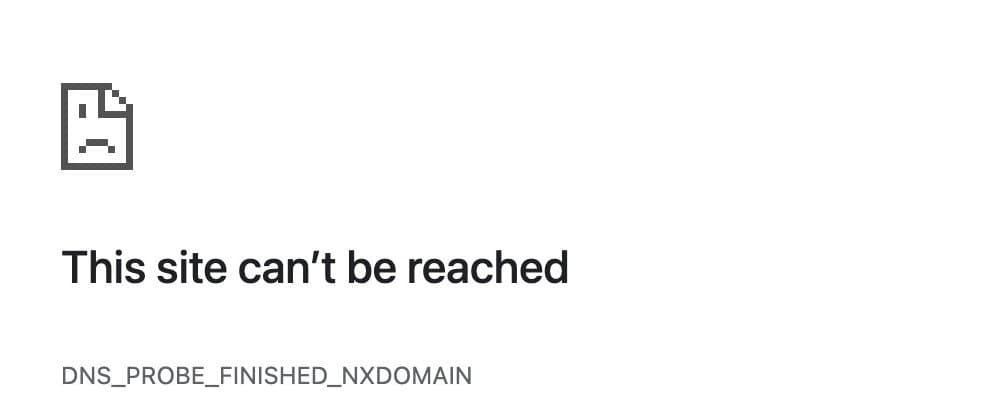
A fake site whose DNS records were removed. It no longer loads.
Free and paid
What paying adds to the free plan
Scanning for fakes
- Free plan
- New domains daily, look-alike spellings every 3 days
- Paid ($199 per site, or a monthly plan)
- Look-alike spellings checked daily, plus a Google search every day. Monthly plans only; not included with a single $199 takedown.
A fake that steals passwords or card numbers
- Free plan
- A browser warning (up to 3 confirmed sites a month)
- Paid ($199 per site, or a monthly plan)
- We stay on it until the site is offline
A copy that steals no passwords or card numbers
- Free plan
- A browser warning only
- Paid ($199 per site, or a monthly plan)
- Taken out of Google's search results (once you sign a letter of authorization)
After it goes offline
- Free plan
- Checked daily for 90 days after the case closes
- Paid ($199 per site, or a monthly plan)
- Checked until the domain is deleted; a comeback at the same address is handled again at no extra charge
A takedown is $199 per site, paid once, on any plan, the free plan included. Monthly plans include up to 3 takedowns a month for $299, or up to 10 for $499. On the free plan, if no one opens the dashboard for 14 days, the scan and the checks on open cases pause until someone does; a $199 takedown carries on as usual.
Questions
What if AI flags our own site, or a reseller's?
Choose “Not a fake” and the case closes. Nothing goes to a hosting provider or registrar before you confirm, so no takedown is ever requested in your name for a site you mark as not fake. The AI is designed to skip pages that merely mention you, but it can make mistakes, which is why the final call is always yours.
What happens to a copy of our site?
A copy that steals passwords or card numbers is treated as phishing: with a takedown, we stay on it until the site is offline. For a copy that doesn't, a takedown takes its pages out of Google's search results, using the letter of authorization you sign in your dashboard. The copy itself stays online, but once Google accepts, people searching Google no longer find it. On every plan, a confirmed copy that's still online also gets a browser warning.
Do we need to send you any documents?
No. The only thing we may ask for is a letter of authorization, which you fill out and sign in your dashboard (it's valid for a year). For any request that needs it, we do the writing and filing on your behalf.
Are the reports sent automatically, or by a person?
Both. Once you confirm, reports with clear-cut evidence go out automatically. When the evidence is less clear, someone at OpenBait reviews it first. Either way, every report is recorded on your case page.
How do you know the site is really offline?
Until a site goes offline, we check it every hour. Some fake sites hide from anything that looks like an automated check while customers can still reach them, so before we count a site as taken down, we also check it from other locations. When it goes offline, we email you and record the time on your case page.
What if the site comes back?
With a takedown, we keep checking the site after it goes offline: hourly for the first 3 days, then daily until the domain is deleted. If it comes back at the same address, we email you and reopen the case for you to confirm, then report it again at no extra charge, without using another takedown. Without a takedown, we still check the site daily for 90 days after its case closes and email you if it comes back. A copy on a new domain counts as a new site: the daily scan looks for it, and taking it down is a new takedown.
What will we see on the case page?
Whether the site is up right now, and when we last checked it. Where the reports went, when, and whether each has taken effect, and the time the site went offline. The screenshot taken when we found it is on the site's Threat details page in your dashboard.
Can you guarantee a takedown?
No one can guarantee that: whether a site comes down is up to the companies that host and register it. We see each case through and record every step on your case page.
Start with a free scan.
No credit card required. A takedown is $199 per site or comes with a monthly plan.
Start free